Neatkept
QR labels for storage boxes — print a sheet from Neatkept
A QR label or a code written with a marker. Either one opens the box in Neatkept.
Works on iPhone · iPad · Mac · Android · Web
Print a sheet
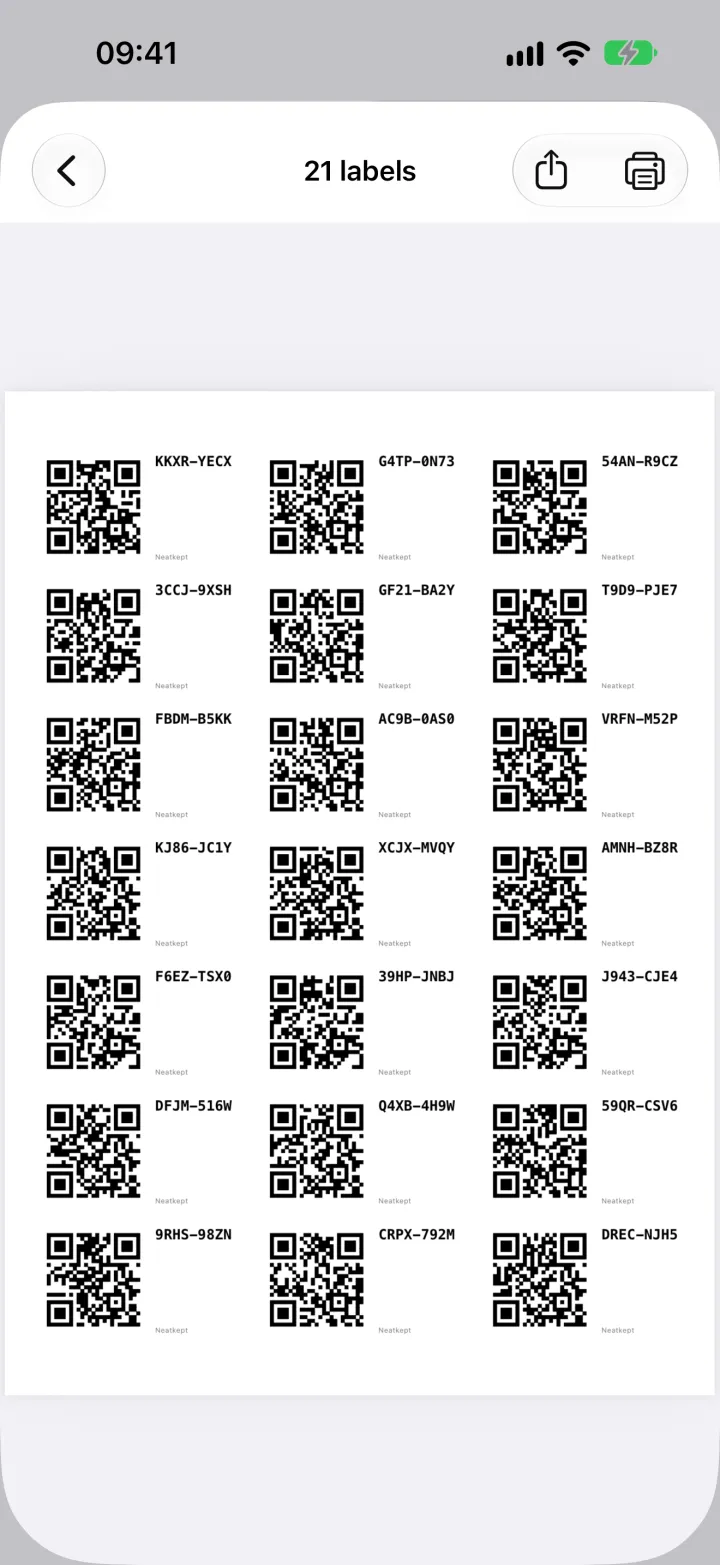
In Places, open Print labels, choose how many and pick your sticker sheet. The app draws the A4 page itself, so you can print it from the phone (AirPrint on an iPhone, the print service on Android) or share it as a PDF; the web app prints it from the browser. Common Avery and Zweckform sheets are listed with their product codes, and plain paper works too.
New boxes or existing ones
Labels for new boxes each get a fresh code; scan one later and Neatkept offers to make a box with it. Labels for existing boxes and places carry their name too. Every label also shows its code in letters, so whoever finds the box knows where it belongs, even without the app.
Half-used sheets
Printing on a sheet you've already used? Tell Neatkept how many labels are gone and it starts after them. Print at 100%, so the labels land on the stickers.
A code written with a marker
No printer? Write a short code like W01 on the box. When you add the box, type it, or on an iPhone or iPad tap the camera next to the label code field and tap the code on the box. When you photograph an open box without choosing where the things go, the app spots the written code and picks that box.
Scan or type to open
Scan a label from Places and the box opens with everything inside. Under the scanner you can always type the code instead.