 Neatkept
Home inventory from a photo — AI lists what's in a box or on a shelf
Photograph an open box or a shelf. Neatkept lists what it sees, and you decide what to keep.
Works on iPhone · iPad · Mac · Android · Web
One photo instead of typing
Open Capture, pick Box or Shelf, choose where the things go and take a photo. Neatkept reads the photo and proposes a list: a name for each thing, its category, tags and how many there are. A box of ten things takes one shot, not ten forms.
You decide what is saved
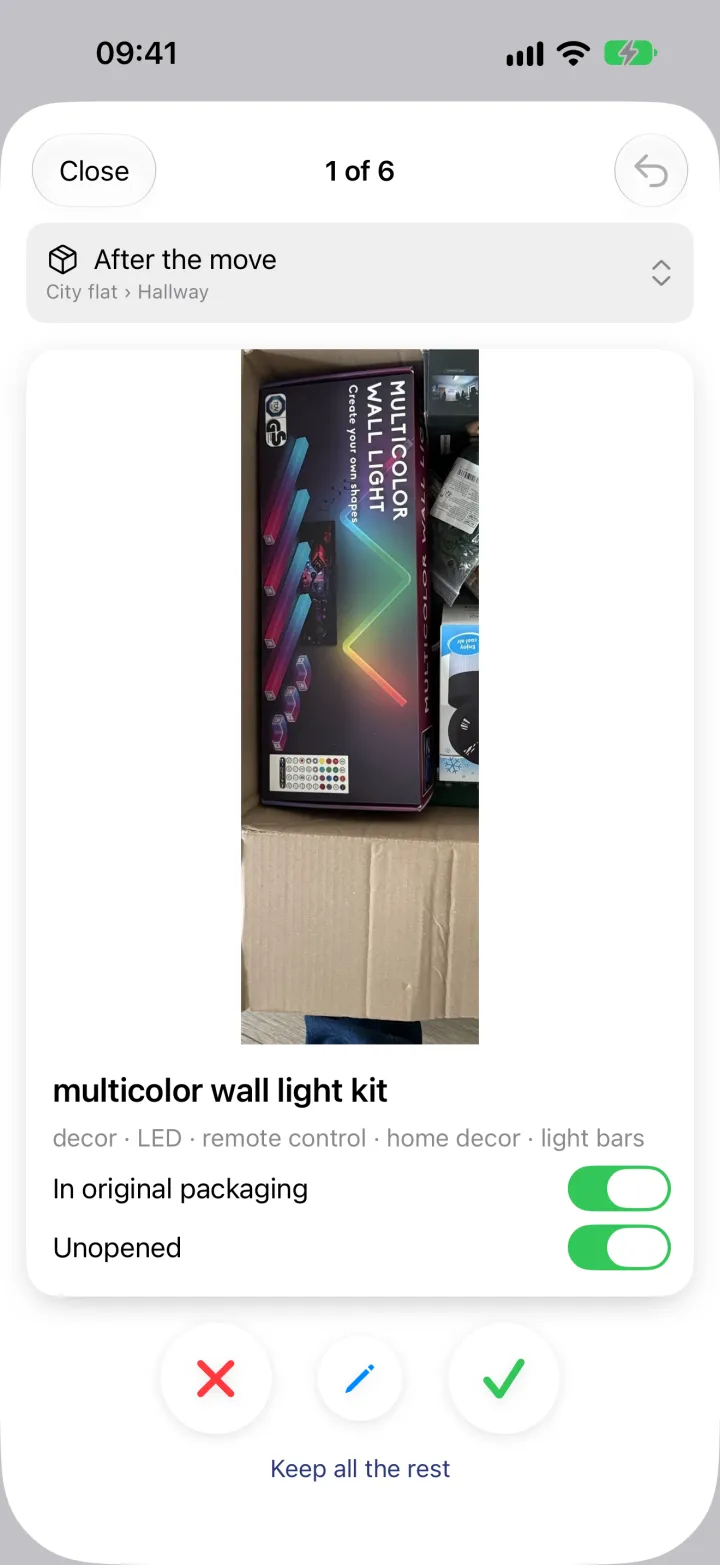
Nothing goes into your inventory until you say so. Each proposal comes as a card: swipe right or tap the tick to keep it, swipe left or tap the cross to drop it, tap the pencil to fix the name. "Keep all the rest" settles the remaining cards at once, and the undo button takes back the last decision.
Boxes, shelves and packaging
Box mode is for the contents of one open box, shot from above. Shelf mode is for a shelf or a corner with many things, and each card shows the part of the photo where its thing is. Things still in their retail box are marked "In original packaging" or "Unopened", and you can switch that on the card.
The photo stays with the things
Every saved thing keeps the photo it came from, and a box gets the photo of what is inside it. Later, in search or on the box's page, you see the thing, not only its name.
Your language, with English tags
Names come in your household's language, and every thing also gets English tags, so it can be found in either. Photos go to the AI only after you allow it in the app.
See it in use
Unpack after moving
The move is done and the hallway is full of boxes you won't unpack this month. One photo per box, and you still know what's in each.
One photo of a shelf
The office rack holds bins, boxes, chargers and stands. You don't want to type twenty names, so you take one photo.
Do I have it already?
You're in a shop holding a LEGO train and can't remember whether the kids already have it. Or it's a gift, and you're putting it away.