 Neatkept
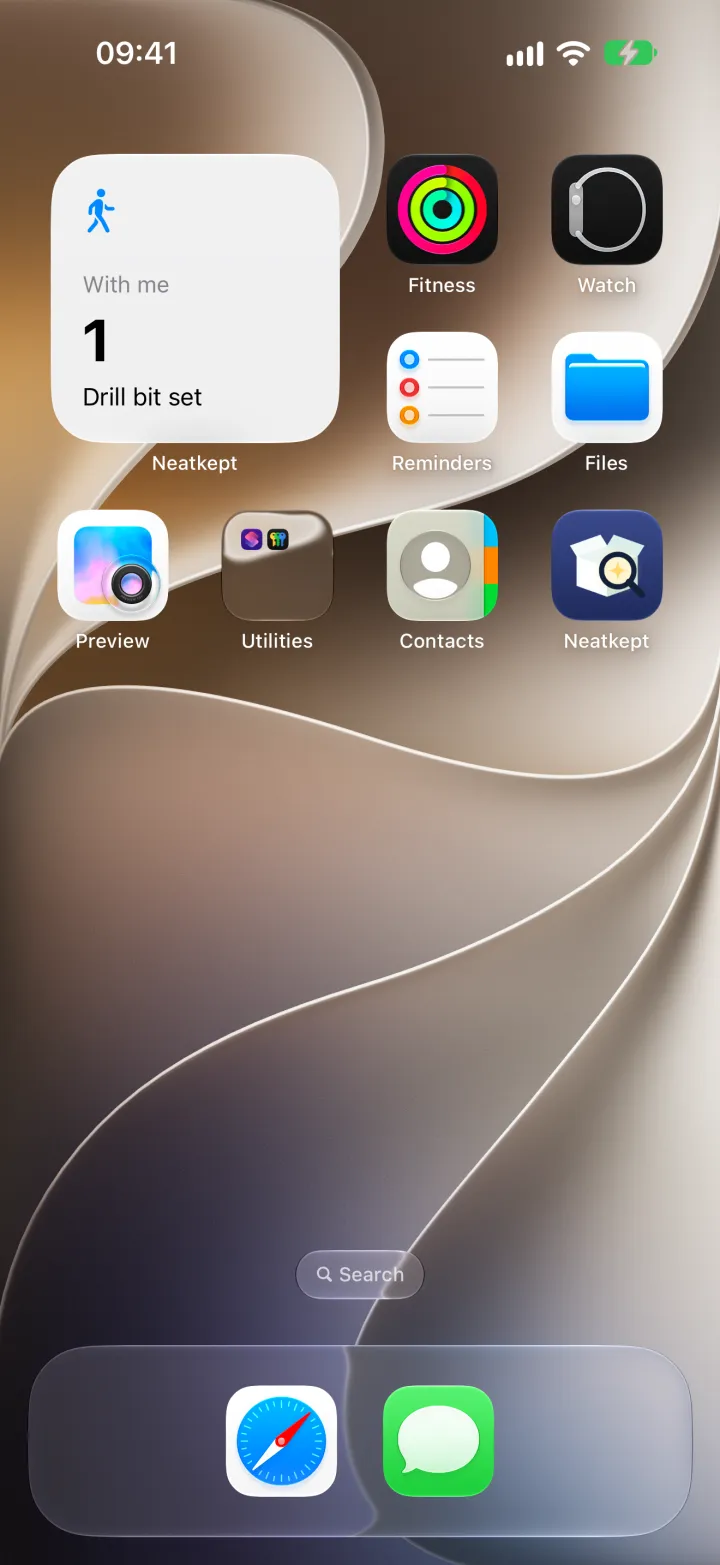
Remember what you took from home — a With me widget
You lend out tools, take a box to the car, carry the drill bits to the garage. A week later nobody remembers who has them.
-
1
Take it, and the widget shows it
In Neatkept, swipe right on the thing you're taking and tap Take. The With me widget on your home screen now counts it and shows its name: here, one drill bit set.
-
2
Tap the widget to put it back
When you're done, tap the widget. Neatkept opens your With me list, and Put it back returns the thing to the place you took it from.
What this uses
Widgets, Controls and Siri
What you took along is on your home screen, and the main actions are one tap or one sentence away.
With me
Take a thing along, and Neatkept knows it's with you. Later, put it back or put it where you are.
Moves
Tell Neatkept where a box or a thing went, and its place is right for everyone in your household.