 Neatkept
Move boxes and things between homes, and keep track
Tell Neatkept where a box or a thing went, and its place is right for everyone in your household.
Works on iPhone · iPad · Mac · Android · Web
Move a box with everything in it
Open a box, tap ⋯ and choose Move the box, then pick where it goes. The things inside travel with it, so you never move them one by one. Find the place by typing its name or its label code.
One thing at a time
A single thing moves the same way. Swipe it to the right and tap Move, then pick a place. Swipe all the way and it goes with you instead, until you put it down somewhere.
Or scan two labels
If your boxes and places carry Neatkept labels, a move is two scans: the box first, then the label of the place it goes to. Scan the wrong label and the app tells you what it expected.
Between homes, with Undo
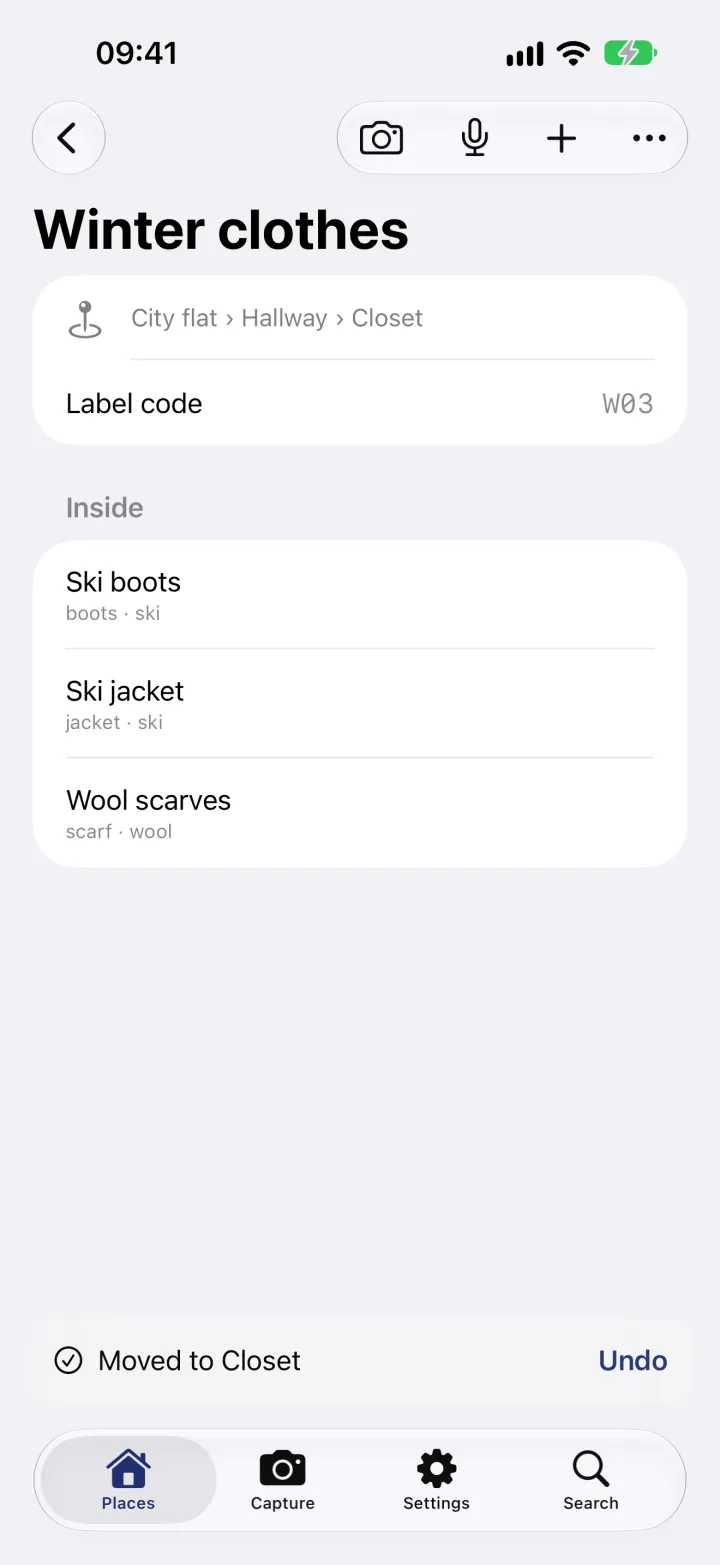
Any place in any of your homes is a target: from the house's attic to the closet in the city flat is one move. Right after, "Moved to Closet" shows at the bottom with Undo, in case you picked the wrong place.
Saved at once, even offline
A move is saved on your phone first and sent in the background, so it never waits for the network. Every move is recorded with who made it and when, and your data export includes them.
See it in use
Seasonal swap
Winter is coming. The box with the ski clothes is in the house's attic, and you live in the city flat.
Tools to the garden
You need the drill at the garden plot this weekend. It lives in the house's garage, and next month someone will look for it there.
Storeroom with no signal
The storeroom is in the basement, and your phone has no signal down there. You're sorting the boxes anyway.