 Neatkept
Home inventory widgets, shortcuts, Controls and Siri — Neatkept
What you took along is on your home screen, and the main actions are one tap or one sentence away.
Works on iPhone · iPad · Android
With me on the home screen
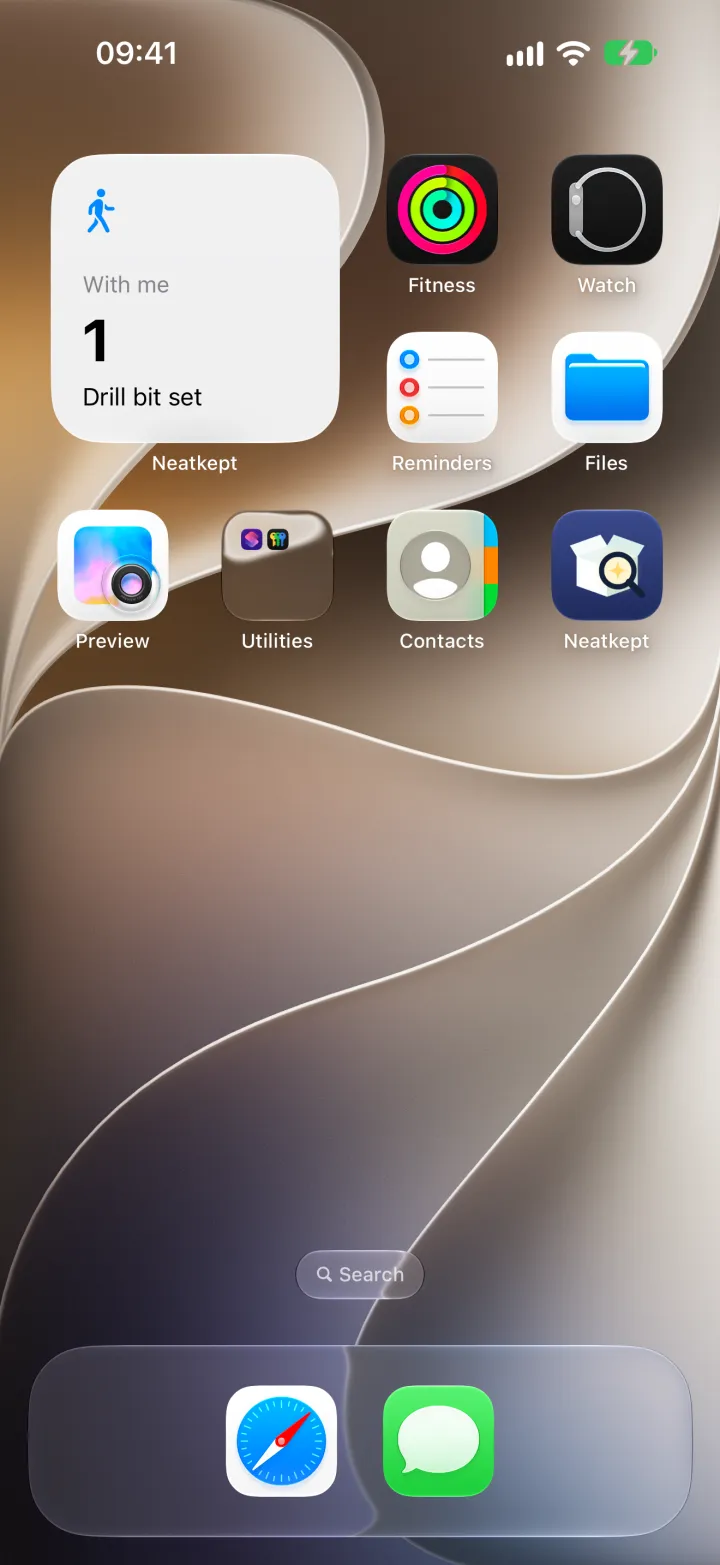
Take a thing or a box along, and the With me widget shows it on your home screen. On the iPhone and iPad it comes in small, medium and large sizes, and on the iPhone's lock screen too; the bigger ones add Find, Capture and Move buttons. When the phone is locked, it shows only the count, not the names.
One tap from anywhere
On the iPhone and iPad, Find, Capture, Move and With me are also Controls: put them in Control Center, on the lock screen or, on an iPhone, on the Action button. A tap opens Neatkept right on that screen: Search with the field ready, the camera, the scanner for a move, or your With me list.
Ask Siri
On the iPhone and iPad, say "Find in Neatkept", then what you're looking for. Siri answers in place with up to three things, each with its photo and path, and "Open in Neatkept" if you want more. Capture and Move work from Siri and the Shortcuts app too. Siri phrases are in English, German, French, Spanish, Italian, Dutch, Brazilian Portuguese, Swedish, Danish, Finnish, Norwegian, Russian and Turkish.
On Android
The With me widget sits on the home screen and lists what you took along, with Search, Capture and Move buttons; make it taller for more rows. Touch and hold the Neatkept icon for Search, Capture, Move and With me, or drag one of them to the home screen as its own icon.
Nothing changes without you
Widgets and Controls only open screens. Moves, takes and put-backs still happen in the app, where you see what you're doing.
See it in use
What's with me, on the home screen
You lend out tools, take a box to the car, carry the drill bits to the garage. A week later nobody remembers who has them.
Tools to the garden
You need the drill at the garden plot this weekend. It lives in the house's garage, and next month someone will look for it there.
Find anything in seconds
Your child needs the skis on Saturday, and you have a flat, a house and a garage. Ask once and know where to drive.