Neatkept
Keep door and padlock codes safe — encrypted lock codes
The garden gate, the storeroom door, the padlock on a crate. Neatkept keeps their codes, sealed.
Works on iPhone · iPad · Mac · Android
Codes live with their places
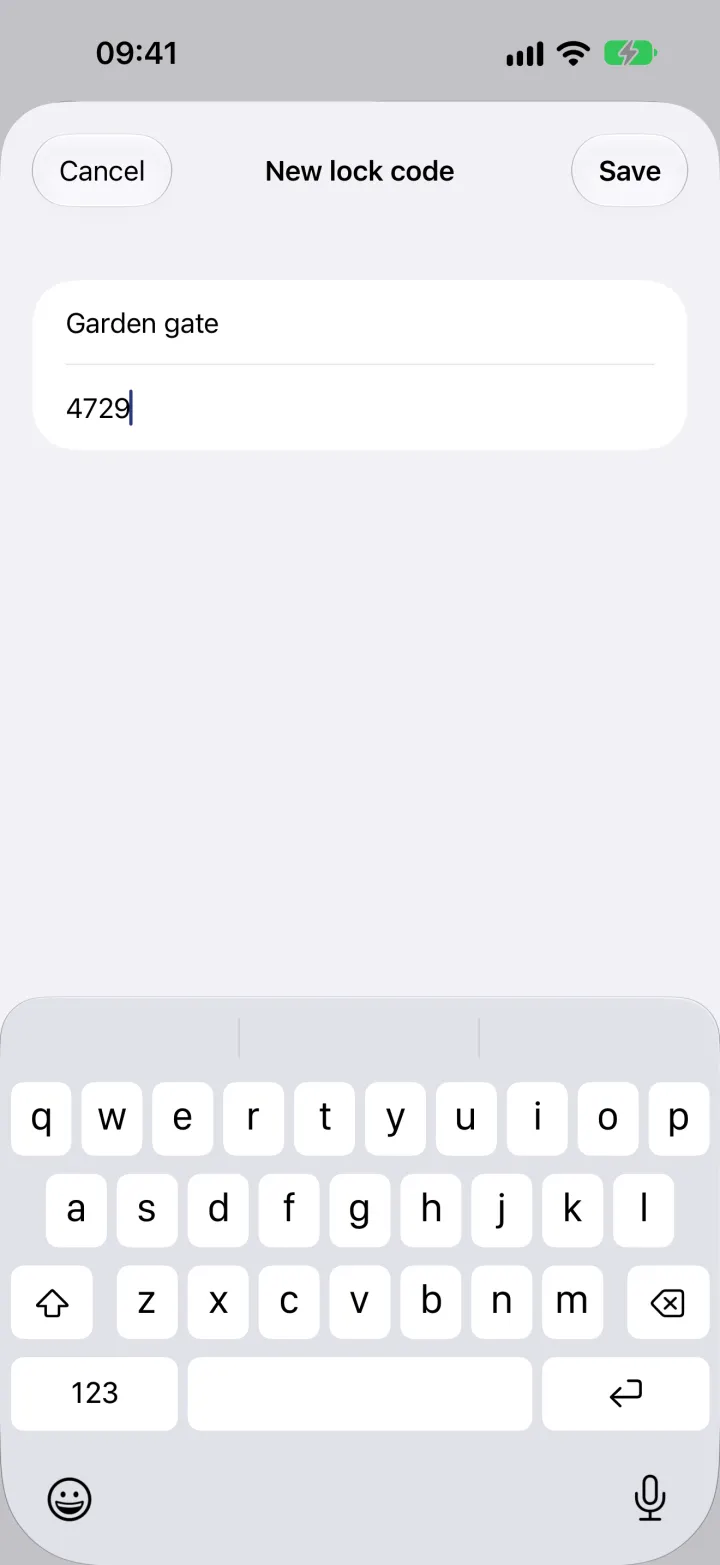
Add a lock code to a place or a box: choose Add a lock code under ⋯, give the lock a name, like "Garden gate", and type the code. After that, the place's ⋯ menu shows Lock codes (1). Every code of the household is also in one list: Lock codes, under ⋯ in Places.
Encrypted on our servers
Codes are encrypted before they are stored on our servers in the EU, so a copied database or backup doesn't give them away. They stay out of search, AI, the export and the insurance report, and the web app doesn't show them. Names stay readable, so everyone knows which locks exist.
Face ID or a fingerprint to see the codes
When you open the list of codes, Neatkept asks once for Face ID, Touch ID or the passcode on an iPhone, iPad or Mac, or for your fingerprint, face or screen lock on Android, then shows them all. Shown codes disappear when you leave the app; Show codes brings them back. Copy puts it on this device's clipboard for one minute.
Shared with those who need it
Owners and editors get the codes on any phone, tablet or Mac they sign in on. Viewers see that a lock exists, but not its code. When someone leaves or becomes a viewer, the server stops giving them the codes and their device drops its copy. Codes open offline too.